
Android · Open testing
Framezo: Video to Photo
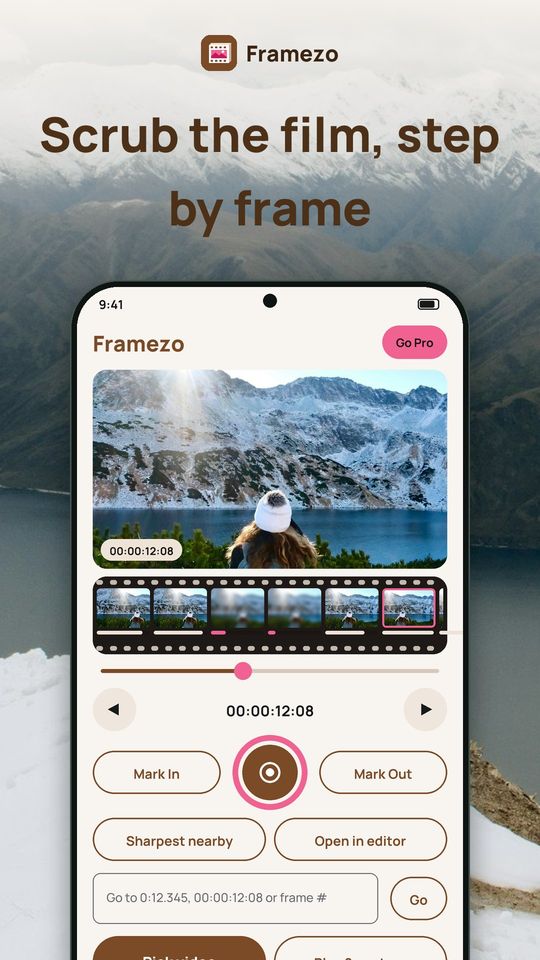
Framezo turns video into photos. Pick a video and its frames line up like a strip of film: scrub to a moment, step one frame at a time, and tap the round shutter to save that exact frame in full resolution, with the date it was filmed. Everything runs on your phone, and your videos never leave it.
A look inside
What it does
A filmstrip of your video
- Home is a big preview of the current frame over a strip of real frames from the video
- Drag the scrubber or tap a frame, then step one frame back or forward with the arrows
- The timecode is always on screen, so you can find the same moment again
- The round shutter saves the frame at the video's full resolution, as PNG, JPEG or HEIC
- Mark In and Out on the strip to set the range for a burst or a GIF
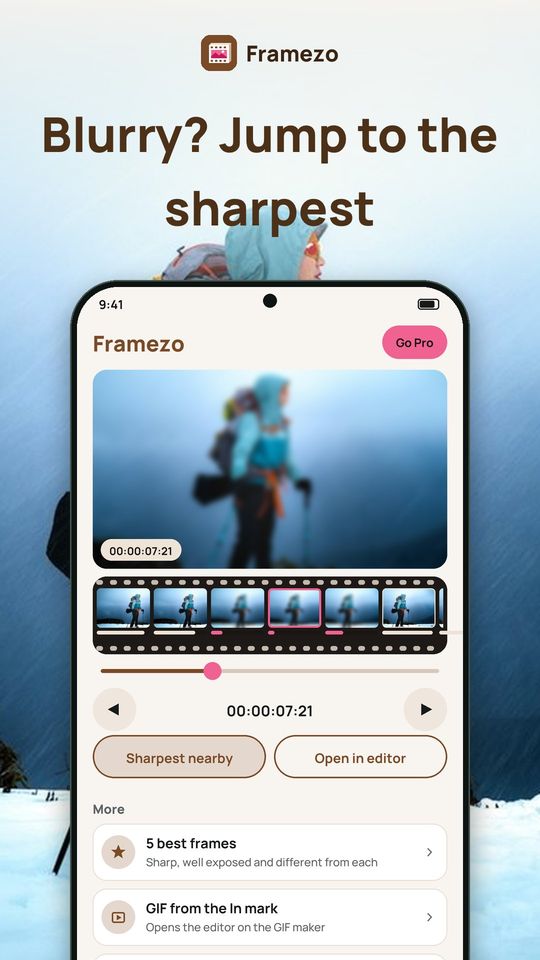
Find the sharpest frame
- A sharpness bar under each frame shows which ones are crisp and which are blurry
- Sharpest nearby: one tap jumps to the sharpest frame around where you are
- The bars come from measuring the detail in each frame on your phone, nothing else
- 5 best frames: Framezo picks sharp, well exposed frames that differ from each other and saves them together
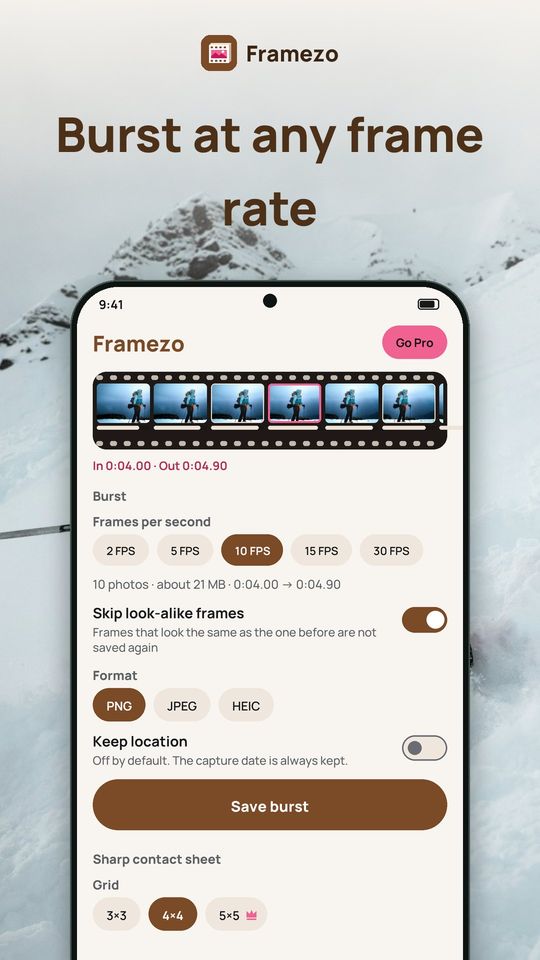
Burst at the frame rate you choose
- Between In and Out, take 2, 5, 10, 15 or 30 frames per second, or every frame
- Times snap to real frames, so rounding never gives you duplicates
- See the number of photos and about how many MB they take before you save
- Skip look-alike frames: a frame that looks the same as the one before is not saved again, and you see how many were skipped
- Each burst goes into its own album for that video, in Pictures/Framezo
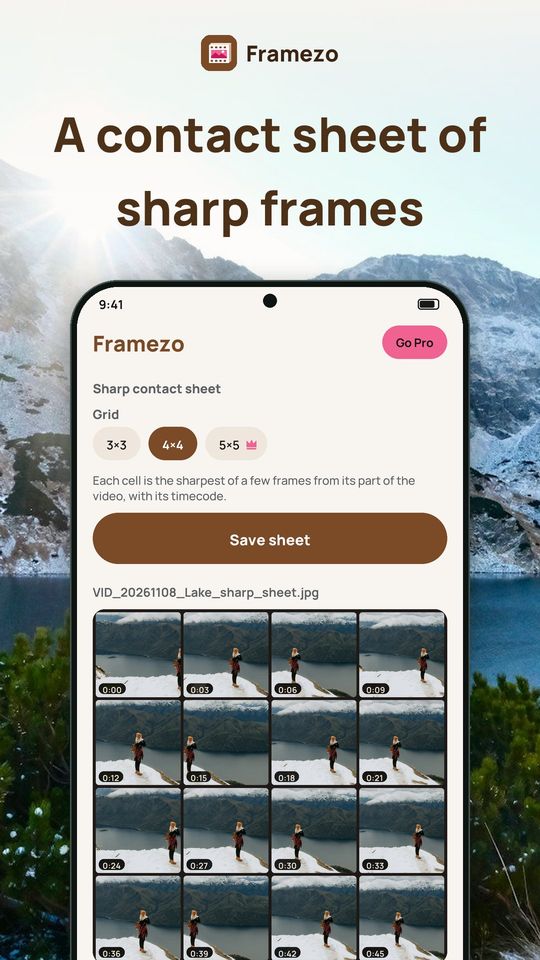
Sharp contact sheet
- Put the whole video on one page: 3×3, 4×4 or 5×5
- Each cell is the sharpest of a few frames from its part of the video, with its timecode
Free and Premium
Free: with ads and 5 exports a day. On Home, bursts up to 10 photos and contact sheets up to 4×4 are free. Premium removes all ads and adds unlimited exports, bigger bursts, 5×5 sheets and the options marked as Premium in the app. Plans: monthly, yearly with a 3-day free trial, or a one-time lifetime purchase.
Privacy
Videos are processed on your phone. Framezo never uploads them, and no account is needed. You choose videos with the system picker, so Framezo only sees what you pick. Copy-protected videos, such as some from streaming apps, come out black and cannot be used. Install Framezo and grab your next sharp frame.